
Your Shopping Cart
Support: ping1090i
Here you’ll find everything you’ll need to install, maintain, and learn about your ping1090i. In addition to that you can fill out a support ticket for advanced problems and get into the details of Certification and Documentation.
FAQs
Frequently Asked Questions (FAQs)
-
-
What is the ping1090i and what does it do?
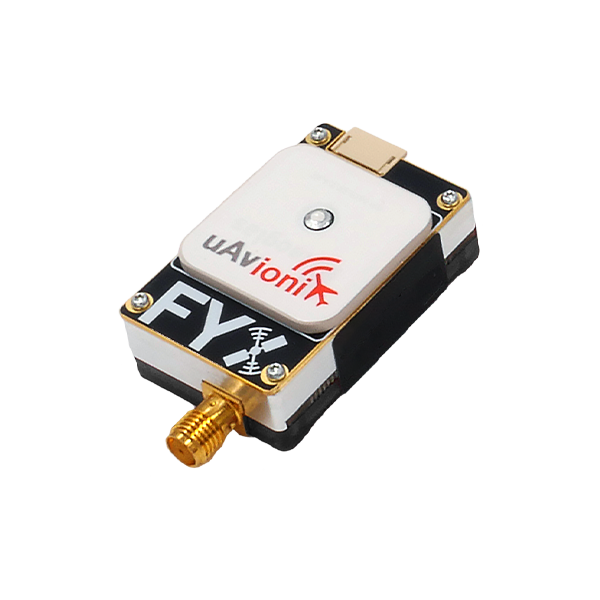
The ping1090i is a 26-gram, dual-link ADS-B transceiver with integrated SBAS GPS and barometric altimeter. It receives ADS-B traffic on 1090 MHz and 978 MHz (UAT) within ~100 sm and transmits ADS-B Out on 1090 MHz (DF-18 Extended Squitter). It supports Detect-and-Avoid (DAA) for UAS and is approved in the UK/Australia as an Electronic Conspicuity Device (ECD).
-
What does “ECCN 7A994” mean?
Export classification – technology for civil aviation, no license required for most destinations.
-
What is the ping1090i and what does it do?
-
-
Is the ping1090i legal to use in the United States?
No – it carries an FCC notice that it is not authorized for sale, lease, or use in the U.S. (except direct sales to the U.S. Government or units exported by uAvionix). It is not an FAA-certified TSO device.
-
What is SIL/SDA?
SIL = 1 (Source Integrity Level), SDA = 1 (System Design Assurance). In UK CAP1391 mode, SDA may drop to 0.
-
Is the ping1090i legal to use in the United States?
-
-
How do I mount the ping1090i?
Use the provided double-sided tape on the logo side and secure to a flat surface. The integrated GPS antenna (top face) must have a clear sky view – avoid props, carbon fiber, or shadowing structures.
-
How should I position the external antenna?
Mount vertically in a location least obstructed by the aircraft during normal flight.
-
How do I mount the ping1090i?
-
-
What power supply does it require?
11–28 V DC.
-
Does it have its own battery?
No, it does not have an internal battery.
-
What mating connectors do I need?
Power (2-pin): Molex 0436450200 housing + 0462350001 pins. Data (4-pin): JST ZHR-4 + SZH-002T-P0.5 pins. Programming (5-pin): JST ZHR-5 + SZH-002T-P0.5 pins
-
What power supply does it require?
-
-
What antennas can I use?
Any antennas certified to TSO-C66, C74, or C112 with ≤4 dBi gain, omni pattern, and VSWR ≤1.8 at 1090 MHz are approved. The included 1090 MHz antenna meets these specs. Do not modify or substitute.
-
What is the RF safety distance?
Keep the antenna at least 4 cm from any person. Remove power to stop all emissions.
-
What antennas can I use?
-
-
How do I configure the device?
1. Install the uAvionix Ping app (iOS/Android). found under the “Utilities” header here.
2. Connect the ping Programmer (5-pin JST ZHR-5 to device, 4-pin to programmer).
3. Power the unit (11–28 V).
4. Join Wi-Fi network Ping-XXXX (password: uavionix).
5. Set ICAO (hex), Call Sign, Emitter (UAV), VS0, dimensions, GPS offsets, and Control mode.
6. Tap Update → Monitor → remove programmer (unit will not transmit while connected).
-
What are the Control mode options?
TX enabled: ADS-B In + Out
Receive: ADS-B In only
Standby: All ADS-B disabled
-
What is the ICAO address and how do I enter it?
A 24-bit hexadecimal aircraft address. Convert octal registry codes to hex before entry (e.g., N12345 → lookup hex equivalent). Never guess – incorrect ICAO causes mis-identification. Using 000000 will not work.
-
How do I configure the device?
-
-
Can I use it with Pixhawk/ArduPilot?
Yes.
1. Connect the 4-pin JST data port to Pixhawk TELEM2 (DF13-6P cable).
2. Set ADSB_SELECT = 1 in Mission Planner. Green LED flashes on traffic receipt; targets appear on the map. -
What serial protocols does it support?
COM1 (4-pin): 57,600 bps GDL 90 / MavLink (control & ownship). COM2 (5-pin): 115,200 bps GDL 90 (programming only)
-
Can I use it with Pixhawk/ArduPilot?
-
-
How far can it detect traffic?
Up to 100 statute miles line-of-sight on both 1090ES and 978 UAT, depending on altitude and antenna placement.
-
What is the operating temperature range?
–45 °C to +70 °C.
-
What do the LEDs mean?
A green flashing LED means 1090/UAT traffic being received. Red LED on solid means there is a fault and the red LED flashing means that it is transmitting.
-
How far can it detect traffic?
-
-
Why won't it transmit after configuration?
Programmer still attached (removes TX).
Control set to Receive or Standby.
No GPS fix (required for valid position).
Power <11 V or fault (red LED).
Must have a valid ICAO to transmit.
-
Why won't it transmit after configuration?