
Support: ping200X TSO
ping200X is the leading FAA TSO-Certified Mode S ADS-B OUT transponder engineered specifically for Unmanned Aircraft Systems (UAS).
Providing global acceptance by Air Navigation Service Providers (ANSP) and regulators, it ensures your unmanned aircraft can safely integrate into controlled airspace by making your drone visible to radar, TCAS, and ADS-B IN receivers.
Here you’ll find FAQs and everything you’ll need to install, maintain, and learn about your ping200X-TSO. Please log a support ticket for advanced problems / questions.
FAQs
Frequently Asked Questions (FAQs)
What is the ping200X?
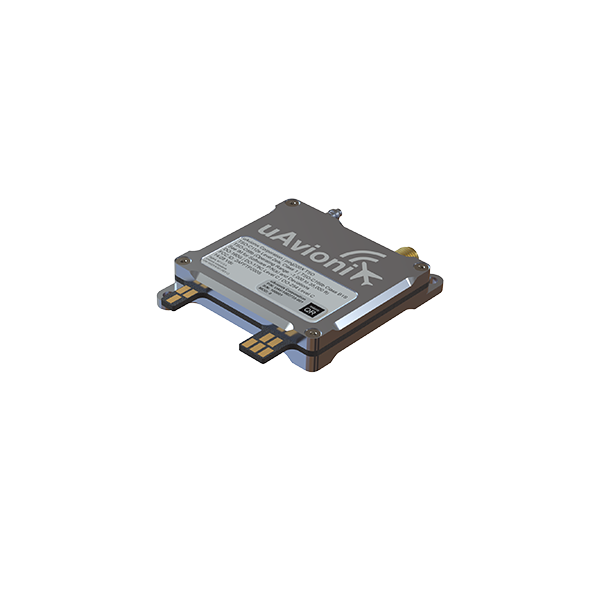
The uAvionix ping200X is a compact, TSO-certified (C112e/C166b/C88b), all-in-one Mode S transponder with 1090 MHz Extended Squitter ADS-B Out and built-in pressure altitude encoder for certified aircraft. Measuring just 4.0 × 3.3 × 1.5 in and weighing 380 g, while meeting the FAA ADS-B mandate at lower cost and weight. It requires an external TSO’d GPS (typically truFYX-TSO), connects via flying leads (allows for flexibility around aircraft integration) SMA antenna, and static port, and is remotely controlled via standard control heads, UCP protocol, or MAVLink through an autopilot. With automatic on-ground ADS-B suppression, full configuration via the ping200X Control and Configuration app, and a 2-year warranty.
What should I do the first time I power on ping200X?
Connect 11–33V DC, antenna, static line, GPS source, and control head. Do NOT apply power without a proper antenna – use a 50Ω dummy load if testing on bench. Wait 30 sec for GPS lock.
Can I test transmit without an antenna?
No. Always use a 50Ω dummy load (or real antenna) to avoid damaging the 1090 MHz transmitter.
How do I put ping200X in ground test mode?
Once the ping200X is powered on, in the ping200X Control and Configuration app (found under the “Utilities” header here) under the “Service” tab there is a button labeled “Enable Ground Test Mode”. This allows you to make inputs into the “GPS Location Data” of the “Control” tab to simulate flight data.
What GPS source is required?
Only an appropriate TSO-C190 or DO-301 compliant antenna, or uAvionix truFYX TSO (found here). Non-TSO GPS not allowed.
What’s included in the box (UAX-90041-01)?
ping200X unit w/ flying leads, quick-start card, and Certificate of Conformance. Antenna and harness sold separately.
What transmitter antenna do I use?
Standard 50Ω vertically polarized antenna with VSWR ≤ 1.5:1 over the 1030 to 1090 MHz frequency band • TSO-C74 or TSO-C112 antennas that meet the above specification • uAvionix non-TSO SMA dipole, P/N UAV-1004675-003 (found here)
Does ping200X work with truFYX TSO?
Yes, the truFYX TSO works with the ping200X
Where should I mount it on the ping200X?
Mount in an accessible location. Also needs to be mounted in a location that allows for the truFYX TSO to be mounted with a clear view of the sky.
Can I apply power without an RF or GPS antenna?
Do Not apply power to the ping200X without 50Ω dummy load or a SMA dipole antenna. You can power on and configure the unit without a GPS antenna, but you will need one for operations.
How do I set the ICAO address?
Use ping200X Control and Configuration App (found here under the “utilities” header) → enter 24-bit hex from FAA registry (e.g., A12345). DO NOT use 000000 as the ICAO address.
Do I need to enter GPS antenna offset?
Yes – measure lateral/longitudinal from aircraft reference point (nose or firewall). Enter into the ping200X control and configuration app.
How do I calibrate the altitude encoder?
The ping200X altitude encoder is calibrated and manufacturing before it is shipped out.
What is the default squawk and control mode?
1200 (in the U.S.), STBY. Change via ping200X control and configuration app or control head.
Is RF exposure a concern?
Yes – 1090 MHz, 250W peak. Do not operate within 1 ft of people during transmit.
How do I avoid damaging connectors?
Use finger-tight SMA (5–7 in-lb). Do not over-torque.
What should I do before flight?
Ground test only – verify: GPS lock, ADS-B, Mode S (Mode S requires transponder test set). Sun Avionics (located here) is a good source for inexpensive avionics test-sets.
Mission Planner FAQs
ping200X and Mission Planner FAQs
What software versions are required for ping200X integration with Mission Planner?
ArduPilot ≥4.6.0 Beta 4; Mission Planner ≥1.3.82; ping200X app ≥3.34; ping200X firmware ≥3.4.0.
Is ping200X compatible with ArduPilot flight controllers like PX4?
Yes, tested with PX4; similar for other ArduPilot controllers. Use MAVLink for control.
How do I wire ping200X to an ArduPilot controller?
Use 4-wire RS-232 (TX/RX/GND/PWR); add RS-232/TTL converter for TTL ports like TELEM2. 57600 baud.
What if my controller uses TTL logic?
Required: RS-232 to TTL converter; ping200X is RS-232 only.
Required: RS-232 to TTL converter; ping200X is RS-232 only.
Yes, via autopilot; supports squawk, mode, IDENT. Direct UCP also works.
How do I configure ping200X before connecting to Mission Planner?
Use ping200X Control and Configuration app: set ICAO, baud 57600, UCP In/Out; valid ICAO required for transmit.
What ArduPilot parameters do I set in Mission Planner?
ADSB_TYPE=3; ADSB_RF_CAPABLE=8; ADSB_RF_SELECT=2; SERIALx_BAUD=57; SERIALx_PROTOCOL=35; BRD_SERx_RTSCTS=0.
How to enable fused GPS position from ArduPilot?
Set ADSB_OPTIONS=1; SIL/SDA=0/0 in app (non-certified; for GNSS denial areas).
What MAVLink messages are used?
Dynamic (ID 202): position/velocity; Static (ID 201): ICAO/callsign; Traffic (ID 246): reports.
How do I control ping200X in Mission Planner?
Data tab > Transponder: set STBY/ON/ALT, squawk, IDENT; shows status/SIL/SDA.
How to put ping200X in ground test mode?
Automatic via GPS on-ground flag; suppress ADS-B, reply to Mode S. Test: stationary, verify no broadcast.
Can I integrate pingRX for ADS-B In?
Yes; wire to separate serial; set ADSB_TYPE=3, ADSB_RF_CAPABLE=11, ADSB_RF_SELECT=3. Displays traffic.
Why is ping200X offline in Mission Planner?
Check wiring/shifter, baud match, parameters; restart. Common: no ICAO, timeout (5s Dynamic).
How to handle fused GPS SIL=0 issues?
Non-compliant for rule airspace; use for backup only. Set to enable if needed.
What if no traffic shows with pingRX?
Set ADSB_LIST_RADIUS/ALT=0 for testing; ensure GPS lock for filtering.
Does ping200X support truFYX GPS?
Yes, plug-and-play; provides WAAS position/on-ground flag.
Where to get MAVLink protocol docs?
Full ICD found here .