Support: skyAlert
skyAlert is a rugged, wearable ADS-B detection and alerting system that enhances airspace awareness for UAS pilots operating in the field.
By detecting cooperative aircraft via ADS-B on both 978 and 1090 MHz frequencies, skyAlert provides real-time audible and visual alerts when crewed aircraft approach within a configurable proximity.
Below you’ll find everything you need to learn about your skyAlert. Fill out a support ticket for advanced problems and questions.
Knowledge Base
Frequently Asked Questions
How do I use skyAlert?
Watch this video which takes you through the basics:
- Turning on
- Silencing alarm
- LEDs
- Turning off
Can I connect skyAlert to an EFB?
Yes. While the pilot can use skyAlert to receive audible alerts when an aircraft comes within a defined range and altitude of the UAS operation, UAS technicians and visual observers can leverage that same skyAlert device to visually gain airspace situational awareness. This is done via GDL 90 EFB connectivity, for example, with foreflight.
See this video for details.
How do I change the alerting range and altitude?
Changing the alert parameters is demonstrated in this video.
Step by step instructions are below:
1. Power on your skyAlert.
2. Connect your device (i.e. smartphone, tablet) to the
skyAlert_XXXX Wi-Fi network.
3. Open a web browser and open the URL http://192.168.4.1/
4. Click on settings.
Here you can change the alerting range and altitude, and many other settings such as volume, etc.
Be sure to save your changes.
See the user guide for more information.
How do I change the alert volume?
Changing the alert volume is demonstrated in this video.
Step by step instructions are below:
1. Power on your skyAlert.
2. Connect your device (i.e. smartphone, tablet) to the
skyAlert_XXXX Wi-Fi network.
3. Open a web browser and open the URL http://192.168.4.1/
4. Click on settings.
Here you can change the volume, and other settings like the alerting range and altitude, etc.
Be sure to save your changes.
See the user guide for more information.
My skyAlert is not charging
skyAlert is equipped with a rechargeable battery. The battery is not designed to be removed or replaced.
skyAlert exclusively supports USB 5V (volt) 2A (amp) chargers. skyAlert will not charge if connected to a charger that delivers more power than it is designed to accept. When charging, the skyAlert power light is illuminated blue. It can take up to 12 hours to charge a depleted skyAlert battery.
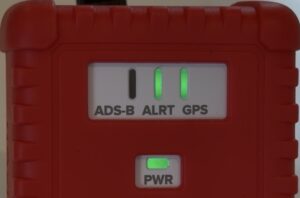
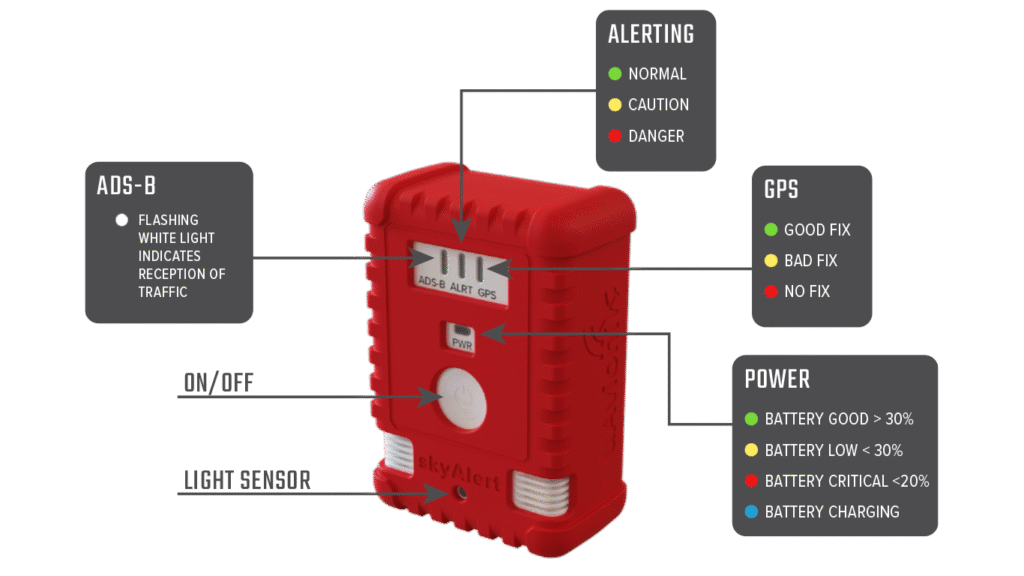
What do the LEDs indicate?
| LED Color | ADS-B | ALRT | GPS | PWR |
| White | Flashing light indicates reception of traffic | — | — | — |
| Blue | — | — | — | Battery Charging |
| Green | — | All Clear | Good Fix | Battery Good > 30% |
| Yellow | — | Warning
(aircraft within double the altitude limit AND within range limit OR within double range limit and altitude limit) |
Bad Fix | Battery Low < 30% |
| Red | Poor Coverage (no UAT uplink towers) | Alarm
(aircraft within range and altitude limit) |
No Fix | Battery Critical < 20% |
My skyAlert doesn't work indoors
skyAlert needs a decent GPS fix. Typically this means you should be outdoors with a clear view of the sky and away from tall buildings.
Ensure that the GPS LED on the front of the device is green, indicating it has a good GPS fix.